Updates
Install new releases from the console.
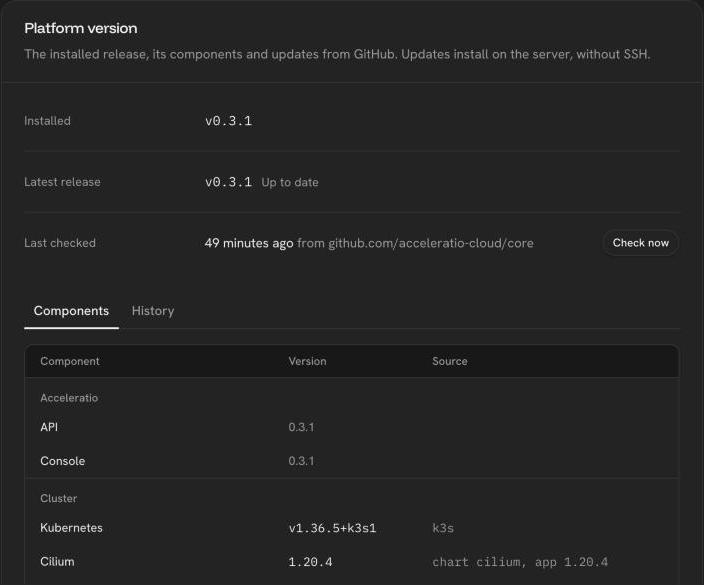
Settings → System → Platform version shows the installed release, the version of every component and the latest stable release on GitHub Releases, with its release notes. The platform checks for releases every 6 hours; Check now checks at once. Pre-releases are never offered.
Update
Update to vX.Y.Z runs the release's checksum-verified update.sh on the
server, without SSH. It backs up, updates, verifies, and rolls back if the new
version does not come up. The console shows the steps, the live log and the
outcome, and offers to reload once the update succeeds.
| Outcome | Meaning |
|---|---|
| Updated | Every component runs the release and is healthy |
| Failed (before install) | Nothing was changed, for example GitHub could not be reached |
| Rolled back | The install failed and the previous version was restored. The log ends with the backup location |
The full log stays on the server in /var/log/acceleratio/update.log.
Requirements
- Outbound HTTPS to
api.github.com,github.comand the container registry. Without internet access, update over SSH instead (see Update and remove). - Installations configured with an
install.envfile keep their settings. An installation made with environment variables only must write its settings to/etc/acceleratio/install.envfirst, or the update stops before changing anything.
The console only moves forward: it does not downgrade.
Was this page helpful?
Last updated on