Projects and services
How work is organized in the console.
A project groups the services of one application: its apps, databases, sites and buckets. Every project is one private network, isolated from other projects (see Private network).
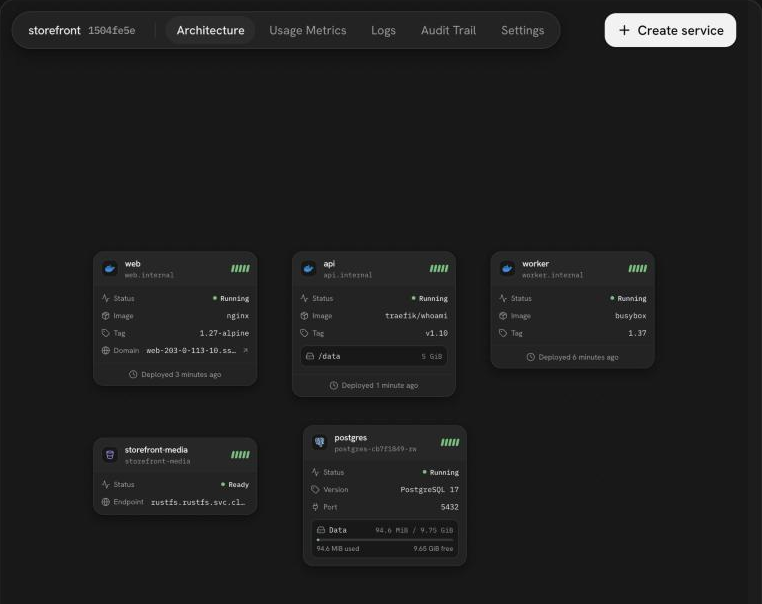
Add a service
On a project's Architecture tab, choose Create service and pick a kind:
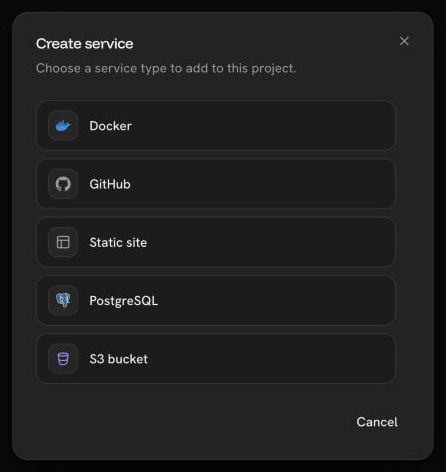
Docker service
Run any container image.
GitHub service
Build and deploy a repository branch, and redeploy on every push.
PostgreSQL database
A database with continuous backups and point-in-time restore.
Static site
Serve an uploaded folder over HTTPS.
S3 bucket
S3-compatible object storage with its own access keys.
Marketplace app
A ready-made app such as n8n, Grafana or Gitea.
Deploys and versions
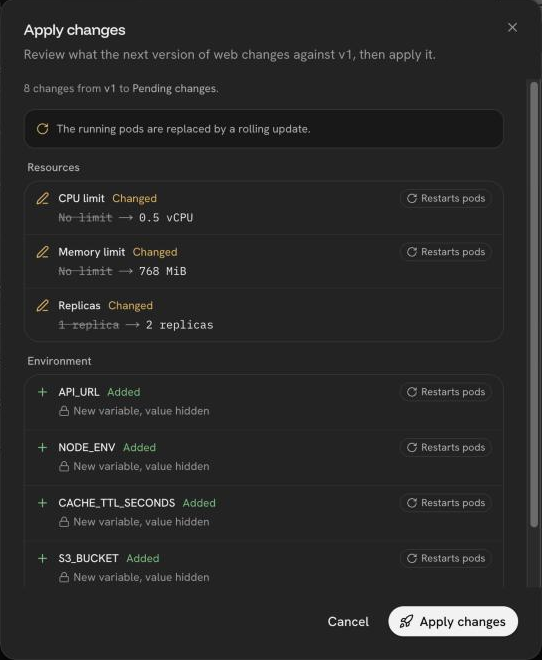
Changes to a service's configuration are saved as pending changes.
Apply changes shows what the next version changes, and which changes
restart the service, then deploys it. The first deploy creates v1.
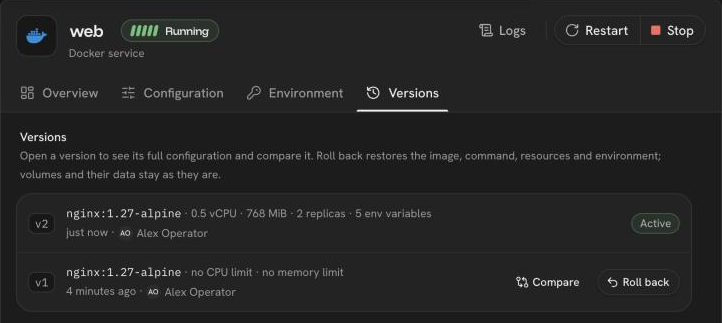
The Versions tab lists every version. Open one to compare it, or Roll back to it. A rollback restores the image, command, resources and environment; volumes and their data stay as they are.
Domain changes are the exception: they apply at once, without a deploy.
A service can be stopped, started and restarted from its menu.
Project tabs
| Tab | What it shows |
|---|---|
| Architecture | The services of the project on a canvas |
| Usage Metrics | CPU, memory, network, disk and database metrics. See Logs and metrics |
| Logs | The output of every service in one list |
| Audit Trail | Who changed what in the project, from where, and how it ended |
| Settings | The project's own settings |
Was this page helpful?
Last updated on