PostgreSQL
Databases with continuous backups and point-in-time restore.
Create a database with a version (16 or 17), a disk size and a storage profile. It runs as one CloudNativePG instance.
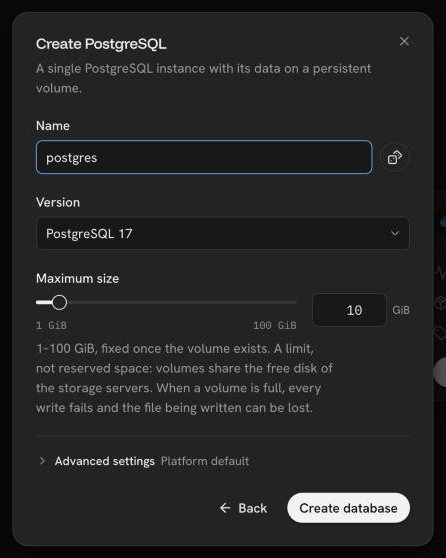
A database is a single instance without automatic failover. Its disk has one copy on one server unless its storage profile keeps more.
Connect
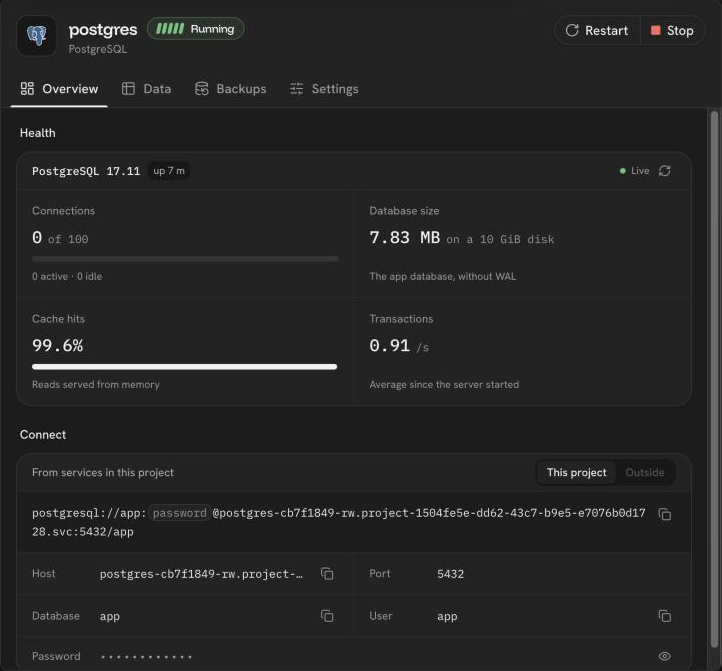
The overview shows the in-project connection address and, on request, the password. Services of the same project connect over the private network; a database needs no public domain.
The overview also shows the server's state and load, and the tables of the
app database with their indexes and a read-only, paged view of their rows.
Access from outside the cluster
The database port is closed to the outside by default. Settings can open it as a node port (30000–32767) on the server that runs the database, limited to listed addresses or networks, or explicitly to everyone.
- Connections from outside must use TLS (
sslmode=require). The certificate is the cluster's own, so clients cannot verify it yet. - The address follows the server, so it can change when the database moves.
Manage
- Stop (hibernate), start and restart the database.
- Grow the disk from Settings, without a restart, when the storage profile allows volume expansion. A disk cannot shrink.
- Regenerate the password after a confirmation. The database switches to it within seconds without touching data; update services that use the old password by hand.
- Delete the database, which deletes its disk, its data and its backups.
The canvas card shows the used and free space of the disk, with a warning from 85%.
Backups
Every database is backed up continuously:
- its WAL is archived as it is written, and sent when a segment fills or every 5 minutes;
- a base backup runs daily at 03:00 UTC, and on demand from the Backups tab;
- backups and WAL are kept 7 days, in a bucket only this database's keys can reach.
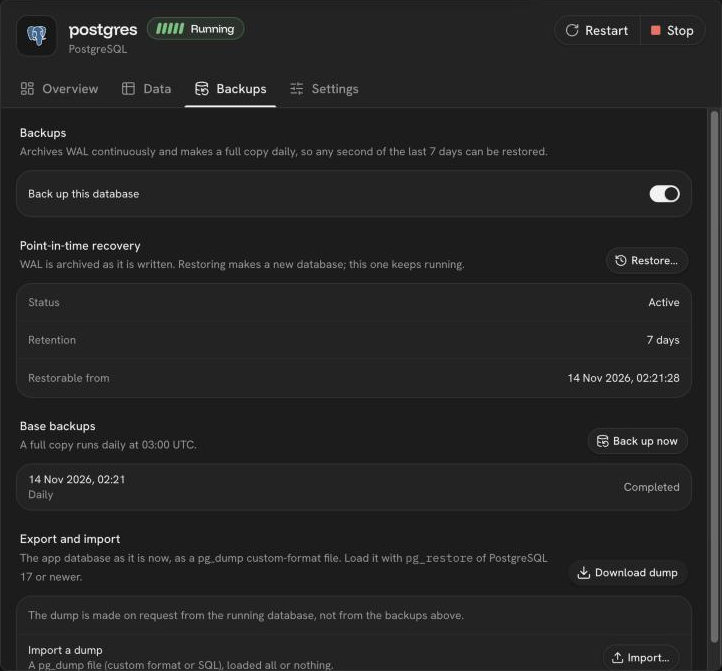
Restore creates a new database in the same project from any moment since the first backup, with a new password. The source keeps running.
Backups are stored on the same servers as the database. They protect against mistakes such as a dropped table, not against losing the servers' disks. A restore after losing the server can miss the last few minutes.
Backups are on by default. Turning them off, after a confirmation, stops archiving and deletes every backup. Turning them on again starts from a new base backup.
Export and import
- Export downloads the
appdatabase as it is now, as apg_dumpcustom-format file. Restore it withpg_restoreof the same PostgreSQL version or newer. - Import loads a dump as the
appuser, all or nothing in one transaction. A custom-format archive replaces the objects it contains. A SQL file runs as written, so make it withpg_dump --no-owner --no-acl.
Not supported yet
Backups to an external S3 store, a custom backup schedule or retention, restoring over the existing database, replicas, failover and connection pooling.
Was this page helpful?
Last updated on